
WORKVED BOQ + SALES CRM
Concept built for Workved, a Mumbai office fit-out company: a BOQ landing page with a live price estimate, connected to a sales CRM with WhatsApp automation, from first enquiry to fit-out project.
Project Scope & Architecture
Workved (workved.com) designs and fits out offices in Mumbai. We built this end-to-end demo to show them how a BOQ (Bill of Quantities) request can turn into a signed fit-out with almost no manual work. A customer gets a price estimate on the landing page, receives their BOQ on WhatsApp and email within seconds, and lands on a live sales pipeline. From there a consultant, an AI WhatsApp assistant and automatic follow-ups take it to a won deal, which opens a delivery project.
What the Demo Had to Show
Office fit-out buyers want a number before they talk to anyone, and they go quiet fast. The system had to give an instant estimate, reach the customer on WhatsApp, put the right consultant on the phone quickly, and hand won deals to the delivery team without re-typing anything.
BOQ Landing Page → WhatsApp → Live Pipeline → Project
A Next.js landing page with a live estimator posts each BOQ request straight into a custom CRM. The CRM sends the BOQ PDF and a booking link on WhatsApp and email, scores and routes the lead, runs an AI WhatsApp assistant and follow-ups, and turns won deals into delivery projects.
System Speed, Uptime & Impact
From BOQ Request to Fit-Out Project
Most of them automatic
Call-Back Timer
Missed? The Sales Manager is alerted
Automatic Follow-Ups
Stop the moment the customer replies
Delivery Checklist
Opens when a deal is dragged to Won
Inside the Landing Page and the CRM
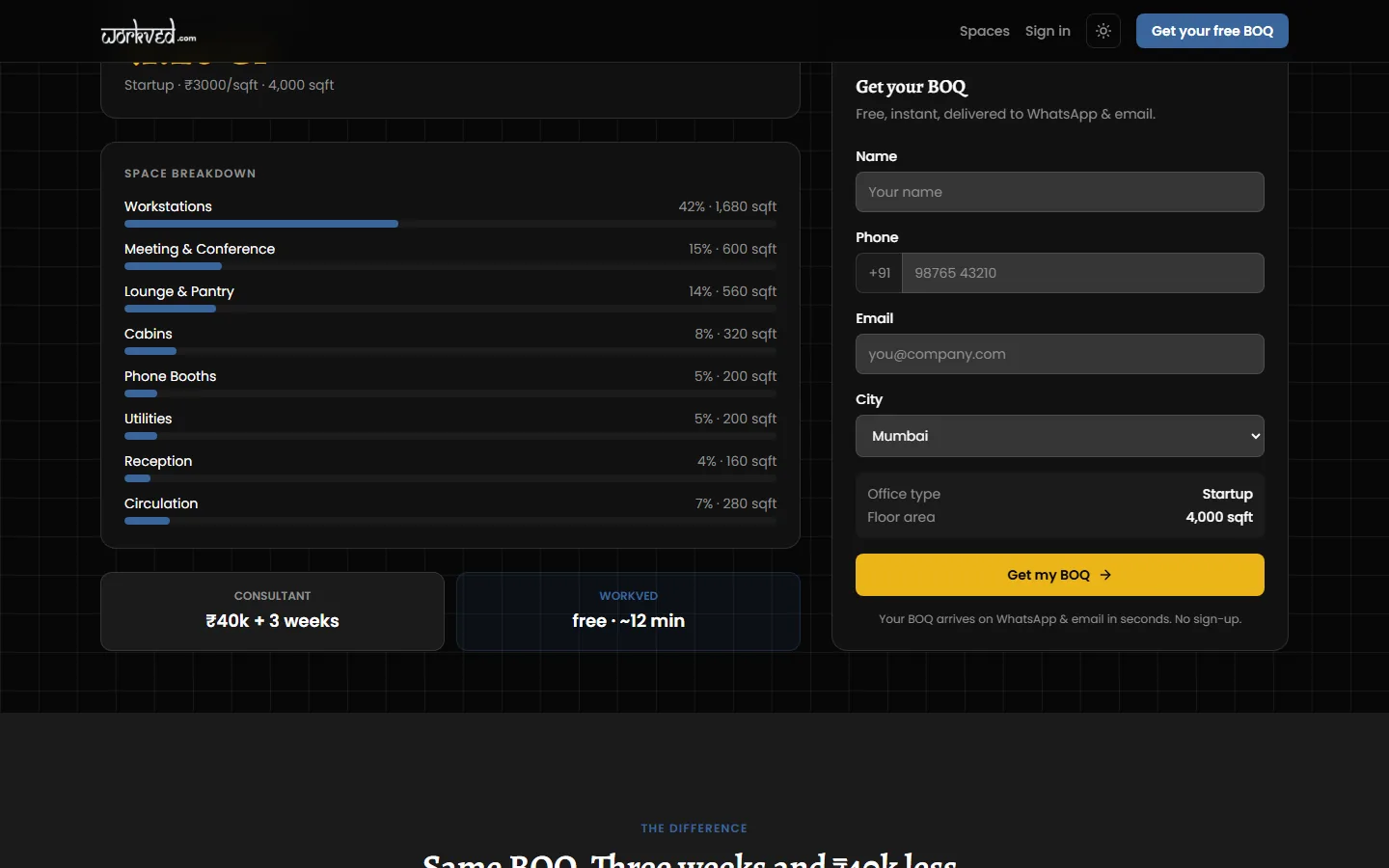
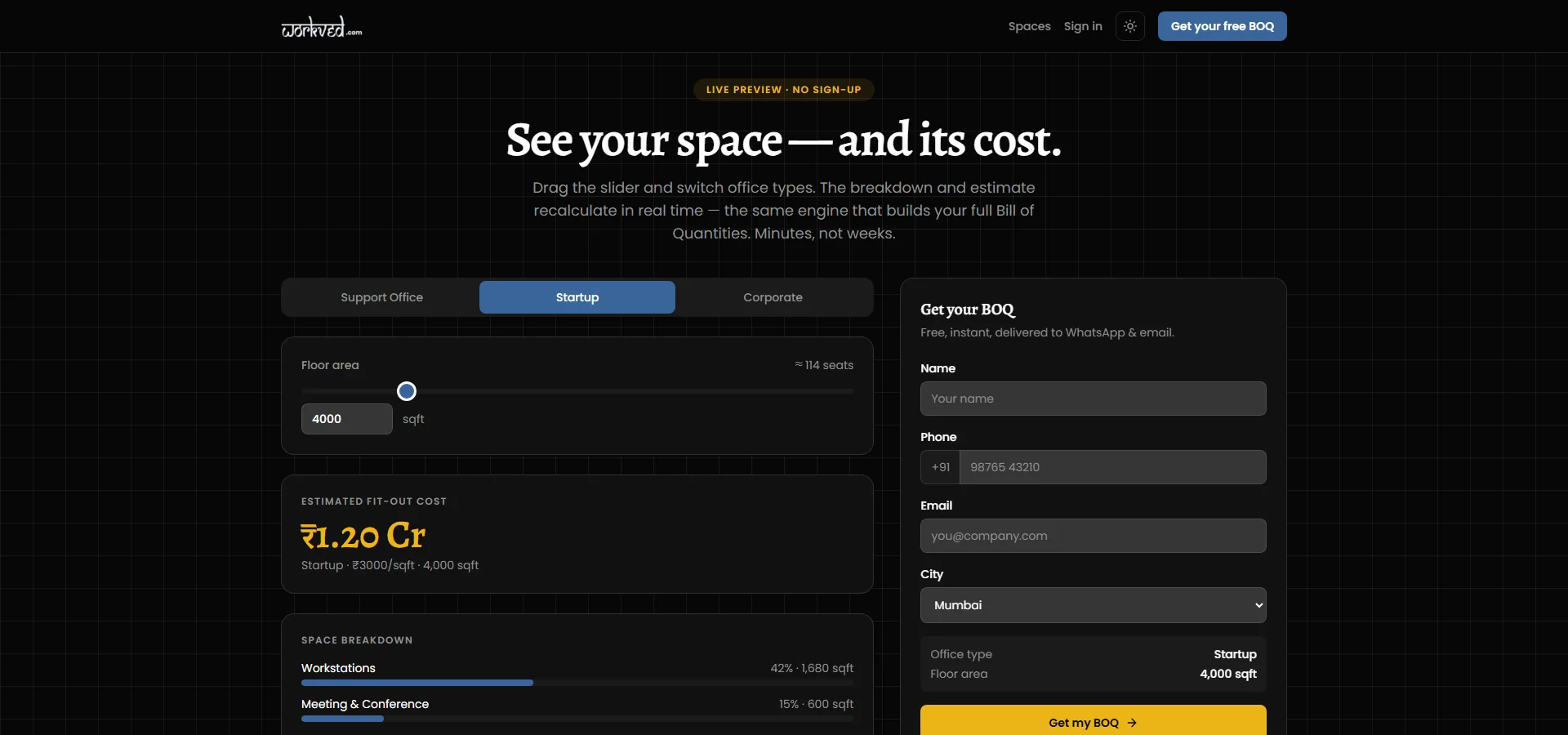
Instant Estimate, BOQ on WhatsApp
Pick the office type and floor area: the page shows seats, a space breakdown and an estimated fit-out cost. Submitting the form sends the BOQ PDF and a book-a-call link on WhatsApp, with a copy by email.
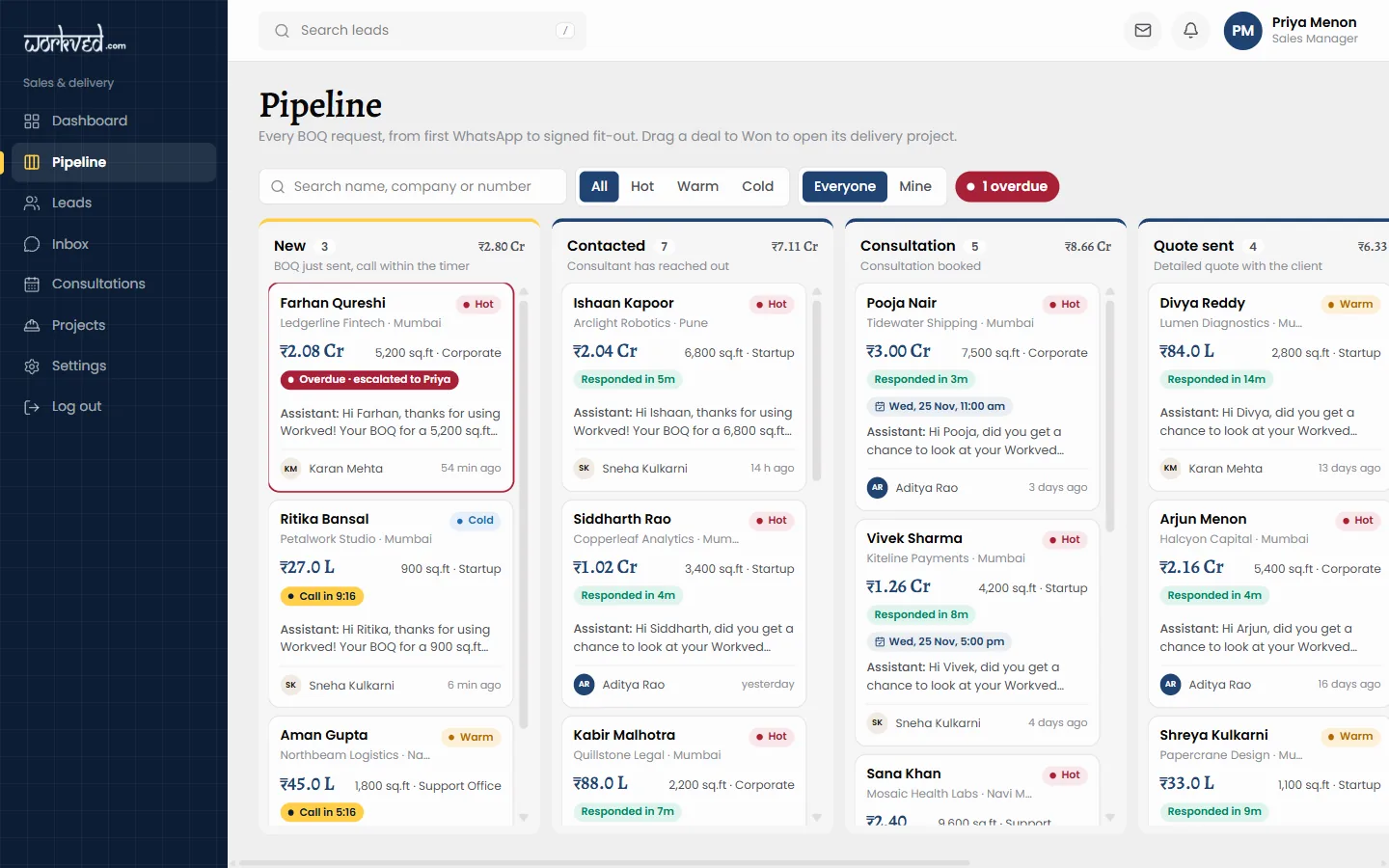
Live Pipeline, Scored Hot / Warm / Cold
Each BOQ request appears on the board by itself, scored by office size and type. Cards move from New to Contacted, Consultation and Quote sent, then Won or Lost. Shown with sample data.
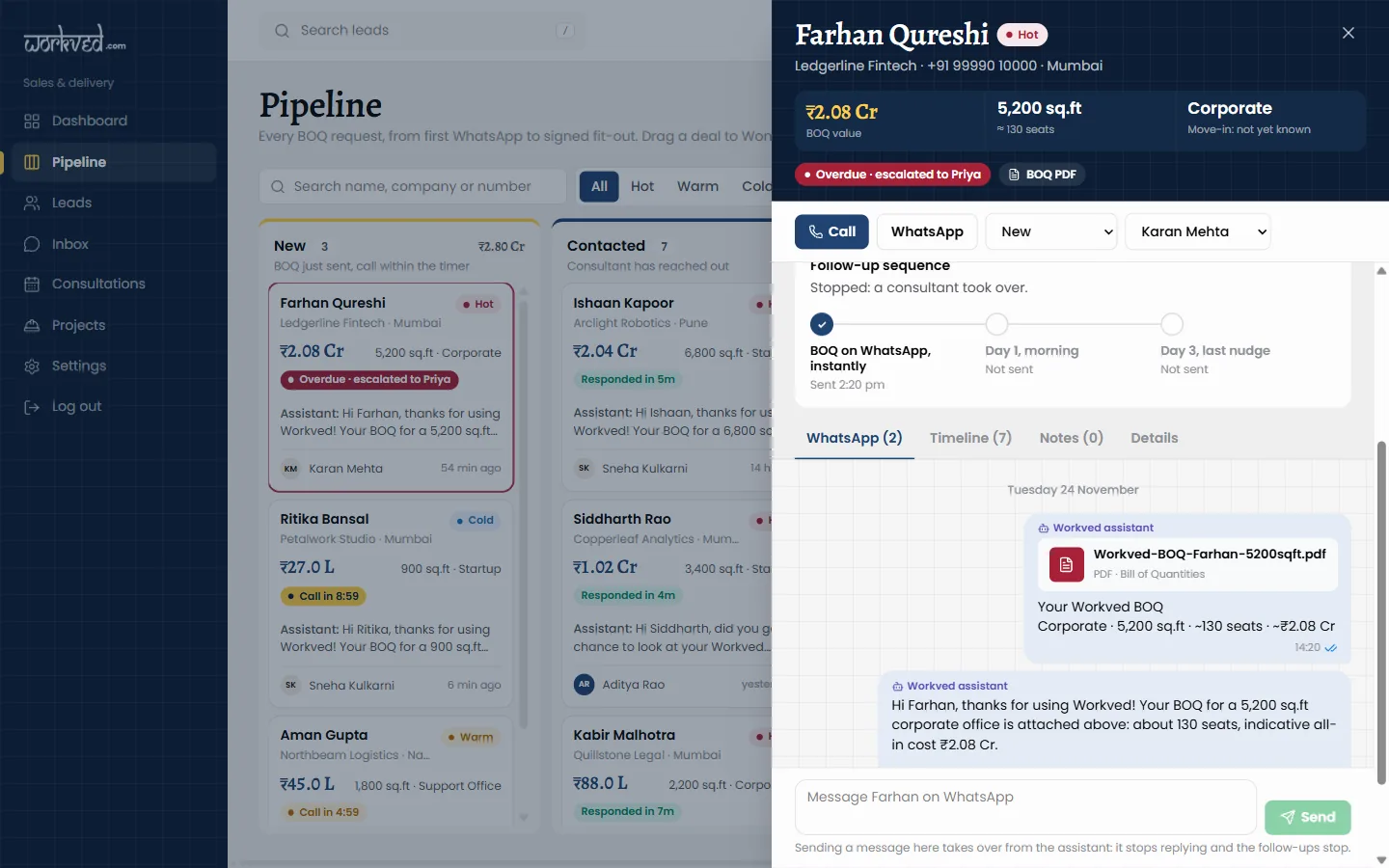
Every Lead: Timer, Follow-Ups and WhatsApp
The lead panel shows the BOQ value, the 15-minute call-back status (escalated if missed), the Day 1 / Day 3 follow-up track and the WhatsApp conversation with the AI assistant. Shown with sample data.
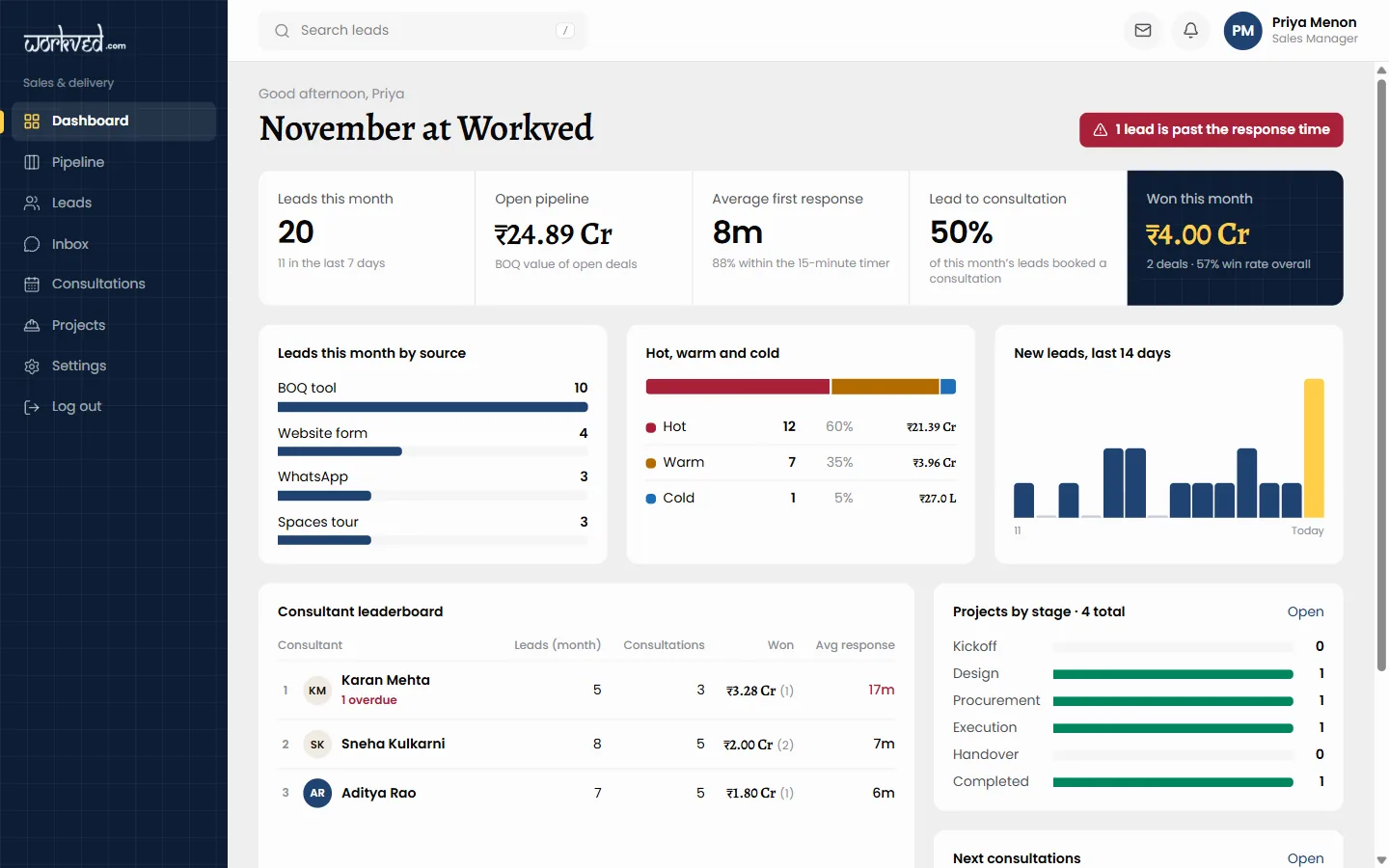
Management Dashboard
Leads by source, the Hot/Warm/Cold mix, first-response speed against the 15-minute target, the consultant leaderboard, deals won and projects by stage. Shown with sample data.
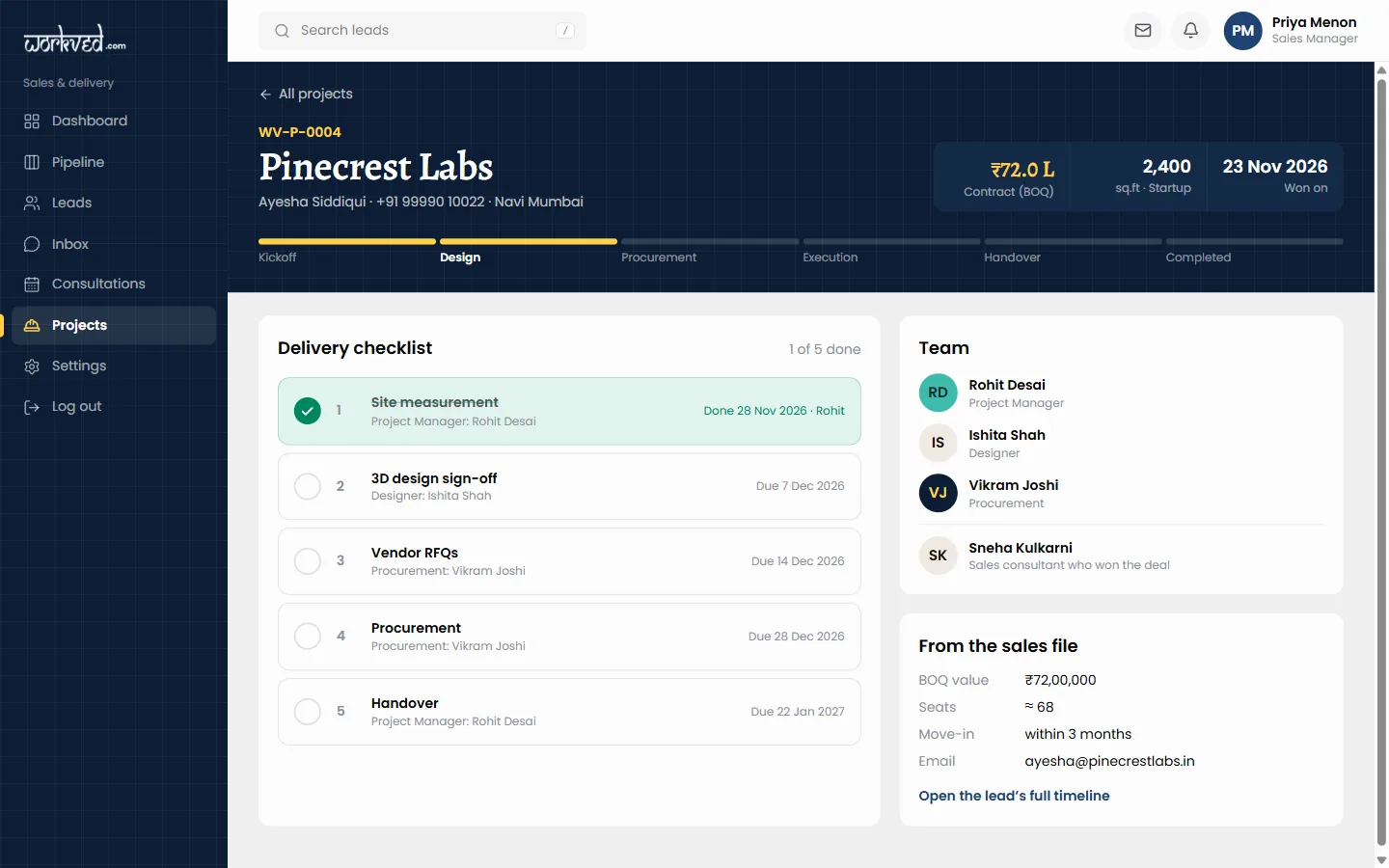
Won Deal → Delivery Project
Dragging a card to Won opens a fit-out project with a Project Manager, Designer and Procurement lead, and a 5-step checklist: site measurement, 3D design sign-off, vendor quotes, procurement and handover. Shown with sample data.
Technologies & Protocols Powering This Solution
Need a Similar Custom Architecture?
Schedule a technical consultation with our engineering directors to scope your high-performance web platform, automated lead funnels, and CRM infrastructure.
Book Architecture Call